
VoiceMacro v2.3.0
Say a phrase, press the keys. Offline voice macros for games and apps, in English and Italian, with a precise mode that listens only for your commands.
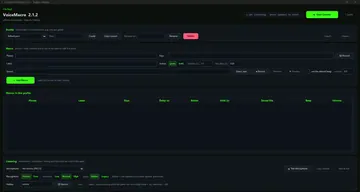
VoiceMacro turns spoken phrases into key presses. Say "reload weapon" or "apri mappa" and it presses the keys you assigned, instantly, while you keep your hands on the game.
Everything runs on your PC. Speech recognition is fully offline (English and Italian models are included), nothing you say is ever sent anywhere, and there is nothing else to install.
Precise mode listens only for the phrases you created, instead of trying to understand everything you say. Commands trigger reliably and normal conversation, music or teammates on voice chat do not set them off. A strictness setting lets you decide how sure it must be before acting.
Built for real use:
- key combinations, single presses or hold for a set time, with per-macro delay
- audio feedback: your own sound or a default beep, with volume control
- profiles for different games or apps, ready to copy, rename and switch
- labels, so every macro says what it does even when the phrase is unusual
- microphone test that shows exactly what the system hears, with one click to save it as a phrase
- live log console and a built-in guide in English and Italian
Your macros, profiles and settings are saved in your Windows user folder and kept across updates.
Licence: one key per PC. VoiceMacro checks the licence at start and works offline for up to 3 days between checks.
2.3.0
- Quiet command mode (Listening tab, "Quiet cmd"): hold a custom key and VoiceMacro mutes Discord (by pressing Discord's mute shortcut) while you speak the command, then unmutes on release. Friends on the call won't hear it, but VoiceMacro does and executes it. Works over full-screen games. Configurable: hold key + Discord mute shortcut; off if left blank.
- Mouse key recording: "Record" mode now also captures mouse buttons (right, middle, side buttons), wheel up/down via double-click on the Keys column. Left click alone is ignored to avoid interfering with window use; Ctrl+left is recorded.

2.2.0